Create new dockerized Ruby on Rails project.
This manual is intended for newcomers who wish to begin building their first Rails application. It makes no assumption that you have any prior knowledge of Rails and is beginner friendly.
Table of contents
Before you start
Please check the following:
- Check if there’s already a docker application installed and check for the docker images.
- You can check by running command
docker -v docker imageson your terminal.- Make sure you have
docker-compose.ymlfile anddockerfolder that containsapp/Dockerfile. If none, it can be downloaded here ~ Basic Composer.- Further explanation of Docker Configuration will be discussed at the end of this article.
How to create a new dockerized rails project?
Open
iTermApplication as your Terminal, it can be seen in the Dock (Taskbar).Make your your project folder: Type
mkdir KodaCamp, hit enter. $~> mkdir KodaCampOpen
RubymineApplication, it can be seen in Dock (Taskbar).Open your project in Rubymine by clicking
Openthen locate your project directory. Clicktrust projectif a prompt appeared.- Copy
docker-compose.ymlanddockerfolder to your new project (KodaCamp).- You can download it here ~ Basic Composer.
- Or you can copy these:
# docker/app/Dockerfile

FROM ruby:3.0.4
RUN bundle config --global frozen 0

RUN echo "deb https://dl.yarnpkg.com/debian/ stable main" | tee /etc/apt/sources.list.d/yarn.list && \
curl -sS https://dl.yarnpkg.com/debian/pubkey.gpg | apt-key add - && \
curl -fsSL https://deb.nodesource.com/setup_lts.x | bash && \
apt-get update && apt-get install -y python2.7 nodejs mariadb-client cron yarn --no-install-recommends && \
rm -rf /var/lib/apt/lists/*

ENV APP_PATH /usr/src/app
RUN mkdir -p $APP_PATH
WORKDIR $APP_PATH

COPY Gemfile* $APP_PATH/
RUN gem update --system && bundle install
COPY . $APP_PATH/

EXPOSE 3000
# docker-compose.yml version: '3' services: db: image: mariadb:10.5.13 restart: always ports: - 3306:3306 environment: MYSQL_ROOT_PASSWORD: qwer4321 command: --character-set-server=utf8mb4 --collation-server=utf8mb4_unicode_ci --default-authentication-plugin=mysql_native_password volumes: - ./tmp/db:/var/lib/mysql - ./docker/db:/docker-entrypoint-initdb.d app: build: context: . dockerfile: ./docker/app/Dockerfile stdin_open: true tty: true restart: always volumes: - .:/usr/src/app - ~/.ssh:/root/.ssh:ro - bundle-volume:/usr/local/bundle ports: - "3000:3000" - "1234:1234" environment: - REDIS_URL_CACHING=redis://redis:6379/0 depends_on: - db - redis # Redis redis: image: redis command: ["redis-server", "--appendonly", "yes"] ports: - "6379:6379" #Volumes volumes: bundle-volume: Create new Gemfile,
touch Gemfile.
Note: It will automatically create aGemfile.lockfile. $~/KodaCamp> touch GemfileAdd the following codes to Gemfile:
# Gemfile

source 'https://rubygems.org'
gem 'rails', '~> 7.0.4'
Type
docker-compose buildon your terminal and hit enter to build your project. Wait for it to finish. $~/KodaCamp> docker-compose build [+] Building 13.6s (13/13) FINISHED => [internal] load build definition from Dockerfile 0.0s => => transferring dockerfile: 646B 0.0s => [internal] load .dockerignore 0.0s => => transferring context: 2B 0.0s => [internal] load metadata for docker.io/library/ruby:3.0.4 0.0s => [1/8] FROM docker.io/library/ruby:3.0.4 0.0s => [internal] load build context 0.0s => => transferring context: 4.11kB 0.0s => CACHED [2/8] RUN bundle config --global frozen 0 0.0s => CACHED [3/8] RUN echo "deb https://dl.yarnpkg.com/debian/ stable main" | tee /etc/apt/sources.list.d/yarn.list && curl -sS https://dl.yarnpkg.com/debian/pubkey.gpg | apt-key add - && 0.0s => CACHED [4/8] RUN mkdir -p /usr/src/app 0.0s => CACHED [5/8] WORKDIR /usr/src/app 0.0s => [6/8] COPY Gemfile* /usr/src/app/ 0.0s => [7/8] RUN gem update --system && bundle install 12.8s => [8/8] COPY . /usr/src/app/ 0.0s => exporting to image 0.6s => => exporting layers 0.6s => => writing image sha256:35e23afbbefda3207afc53ad75328bacfd5f10f37370a1e5abe9c97a8463c4c0 0.0s => => naming to docker.io/library/kodacamp-appType
docker-compose run app rails new . -d mysql -T -j esbuild -c bootstrapon your terminal and hit enter.
After a second, it will ask for your Gemfile to be overwritten, typeYand hit enter. $~/KodaCamp> docker-compose run app rails new . -d mysql -T -j esbuild -c bootstrap [+] Running 2/2 ⠿ Container kodacamp-redis-1 Created 0.0s ⠿ Container kodacamp-db-1 Recreated 0.1s [+] Running 2/2 ⠿ Container kodacamp-redis-1 Started 0.4s ⠿ Container kodacamp-db-1 Started 0.4s exist create README.md create Rakefile create .ruby-version create config.ru create .gitignore create .gitattributes conflict Gemfile Overwrite /usr/src/app/Gemfile? (enter "h" for help) [Ynaqdhm] Y ... Done in 12.58s.Setup
database.ymlthat contains your database config, change the content to:# config/database.yml default: &default adapter: mysql2 encoding: utf8mb4 pool: <%= ENV.fetch("RAILS_MAX_THREADS") { 5 } %> username: root - password: - host: localhost + password: qwer4321 + host: db development: <<: *default - database: app + database: kodacamp test: <<: *default - database: app_test + database: kodacamp_test production: <<: *default - database: app_production + database: kodacamp_production username: app password: <%= ENV["APP_DATABASE_PASSWORD"] %>Edit
Procfile.dev, bind localhost IP.# Procfile.dev - web: bin/rails server -p 3000 + web: bin/rails server -p 3000 -b '0.0.0.0' js: yarn build --watch css: yarn build:css --watchType
docker-compose up -don your terminal and hit enter to up your container. $~/KodaCamp> docker-compose up -d [+] Running 3/3 ⠿ Container kodacamp-redis-1 Running 0.0s ⠿ Container kodacamp-db-1 Running 0.0s ⠿ Container kodacamp-app-1 StartedOpen your terminal within container with
docker-compose exec app bash. $~/KodaCamp> docker-compose exec app bash root@0122:/usr/src/app#Run
bundle installin container to install the gems of your Gemfile project. root@0122:/usr/src/app# bundle install Using rake 13.0.6 Using concurrent-ruby 1.1.10 Using i18n 1.12.0 ... Using web-console 4.2.0 Bundle complete! 13 Gemfile dependencies, 61 gems now installed. Use `bundle info [gemname]` to see where a bundled gem is installed.On your container, run
rails db:createto create database andrails db:migrateto run migration files. root@0122:/usr/src/app# rails db:create Created database 'kodacamp' Created database 'kodacamp_test' root@0122:/usr/src/app# rails db:migrateRun
bin/devto up your rails project. root@0122:/usr/src/app# bin/dev started with pid 666 started with pid 668 started with pid 672 yarn run v1.22.19 $ esbuild app/javascript/*.* --bundle --sourcemap --outdir=app/assets/builds --public-path=assets --watch yarn run v1.22.19 $ sass ./app/assets/stylesheets/application.bootstrap.scss:./app/assets/builds/application.css --no-source-map --load-path=node_modules --watch [watch] build finished, watching for changes... => Booting Puma => Rails 7.0.4 application starting in development => Run `bin/rails server --help` for more startup options Puma starting in single mode... * Puma version: 5.6.5 (ruby 3.0.4-p208) ("Birdie's Version") * Min threads: 5 * Max threads: 5 * Environment: development * PID: 667 * Listening on http://0.0.0.0:3000 Use Ctrl-C to stop Sass is watching for changes. Press Ctrl-C to stop.- Try
localhost:3000on your browser and see if it works.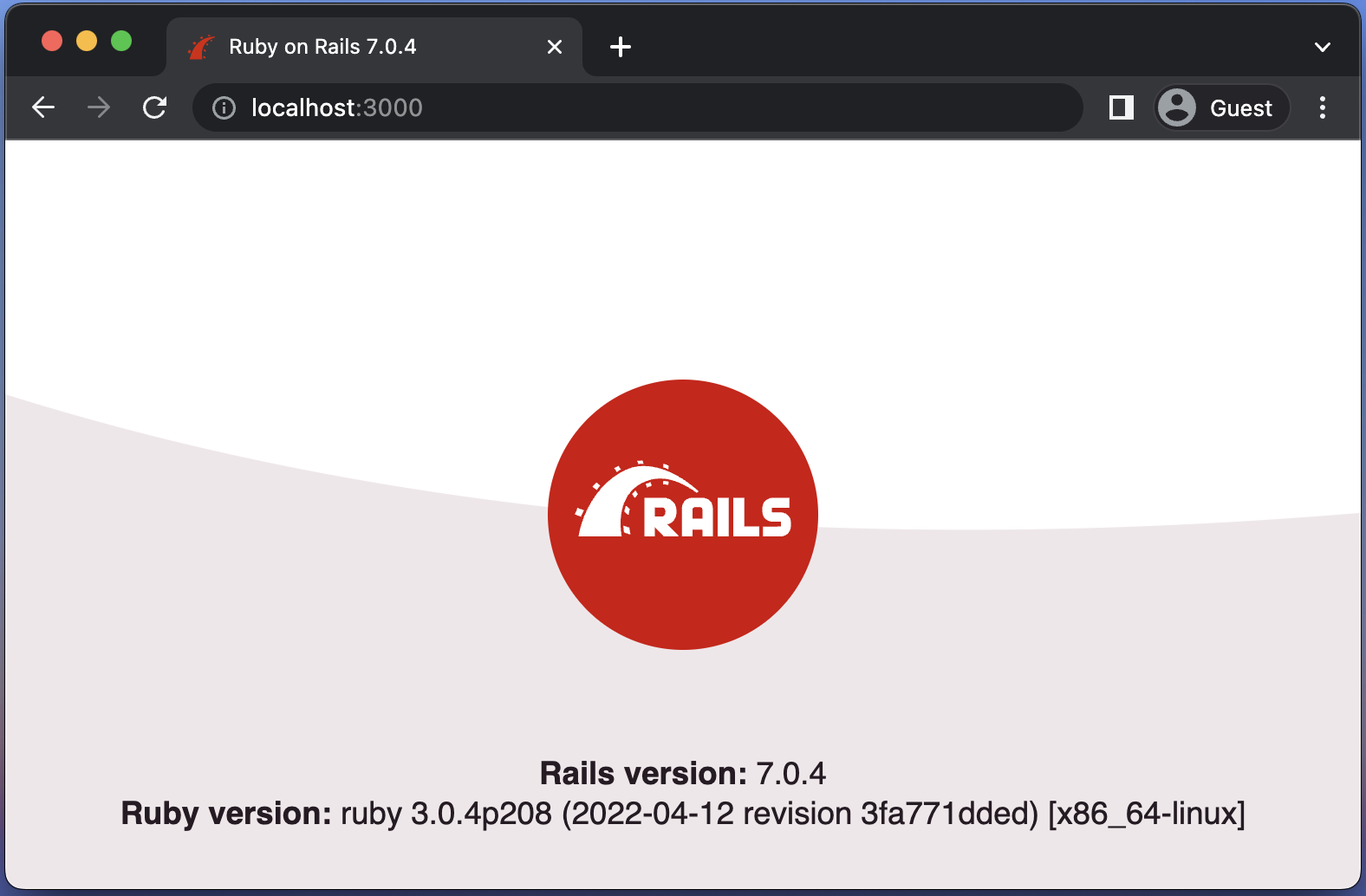
Docker Configuration
What is a Dockerfile?
Docker can build images automatically by reading the instructions from a Dockerfile.
The Dockerfile is essentially the build instructions to build the image.
Dockerfile Instructions
FROM Instruction
The first part is the FROM command, which tells us what image to base this off of. This is the multi-layered approach that makes Docker so efficient and powerful. In this instance, we are using theruby:3.0.4Docker image, which again references a Dockerfile to automate the build process.RUN Instruction
The next set of calls are the RUN commands.
This is what runs within the container at build time.ENV Instruction
The ENV command sets the environment variable<key>to the value<value>.WORKDIR Instruction
TheWORKDIRinstruction in the Dockerfile establishes the working directory for anyRUN,CMD,ENTRYPOINT,COPY, andADDinstructions that come after it.
WORKDIRwill be created if it doesn’t already exist, regardless of not being used in anyDockerfileinstructions.COPY Instruction
TheCOPYcommand is simply as it sounds. It can copy a file (in the same directory as the Dockerfile) to the container.EXPOSE Instruction
TheEXPOSEinstruction informs Docker that the container listens on the specified network ports at runtime. You can specify whether the port listens on TCP or UDP, and the default is TCP if the protocol is not specified.CMD Instruction
CMDis the default argument passed to theENTRYPOINT.
The main purpose of aCMDis to provide defaults for an executing container.
These defaults can include an executable, or they can omit the executable, in which case you must specify an ENTRYPOINT instruction as well.
What is a Compose File?
A YAML file called Compose contains information about the version (DEPRECATED), services (REQUIRED), networks, volumes, configurations, and secrets. Compose files have a default path of compose.yaml (preferred) or compose.yml in the working directory.
Compose File Directives and Attributes
Version
Aversionis used for defining and mentioning the version of the schema.Services
In a compose file, services represent the containers that will be created in the application. A typical compose file contains anapp/webanddbservices.Image
Attributeimageis used for pulling a service Image that is already been published in the Docker Hub.Build
Attributebuildspecifies the build configuration for creating container image from source.Ports
portskeyword exposes container ports. It allows us to run different containers exposing the same ports without collisions.Environment
Theenvironmentattribute is used to migrate the environment variable definitions.Command
Attributecommandis used for executing commands on your container.Volumes
When you execute a docker-compose command, the volumes directive in compose file mounts source directories or volumes from your computer at target paths inside the container. Volumes are physical areas of disk space shared between the host and a container, or even between containers. In other words, a volume is a shared directory in the host, visible from some or all containers.Stdi Open
Attributestdin_openconfigures service containers to run with an allocated stdin.Tty
Attyattribute configures service container to run with a TTY.Depends On
Thedepends_onattribute creates a dependency chain between our services so that some services get loaded before (and unloaded after) other ones.
Database YML
In every new Rails applications, a file called database.yml is created in the /config directory that specifies the various database options your application will utilize. All the information required to access your database can be specified in the config/database.yml file.